
You unlock your phone to check the weather. Three minutes later you're deep in an Instagram scroll hole wondering how you got there.
Tired of app blockers you can just turn off? Blok uses a physical NFC card to make blocking harder to bypass. See the Blok Card →
Sound familiar? That's the exact problem one sec is designed to fix. Instead of blocking apps outright, it adds a brief pause (a breathing exercise, a mirror reflection, or a random friction task) before you can open the app you're reaching for.
The idea is simple: if you have to take a breath before opening TikTok, you might realize you didn't actually want to open TikTok. You just did it out of habit.
I spent time digging into how one sec works, what users say about it, what it costs, and where it falls short. Here's the full breakdown.
What is the one sec app?
One sec is a screen time app built by indie developer Frederik Riedel. It launched in 2021 and has grown into one of the more popular friction-based tools for managing phone habits.
The core concept: when you try to open a distracting app (Instagram, TikTok, Reddit, YouTube, whatever you choose), one sec intercepts the action and forces you to pause. During that pause, it runs an "intervention" like a deep breathing exercise. After the intervention finishes, you can choose to continue opening the app or close it and move on.
It's available on iOS, Android, and as a browser extension for desktop.
The research behind it is legit. A peer-reviewed study conducted with the Max Planck Institute and Heidelberg University found that one sec's approach reduced social media usage by 57% on average. That paper was published in Proceedings of the National Academy of Sciences (PNAS), which is about as credible as it gets.
How one sec works
Setup takes about two minutes. You download the app, pick which apps you want to target, and choose your preferred intervention type.
Intervention types
This is where one sec gets creative. Instead of just showing a timer countdown, it offers several different friction methods:
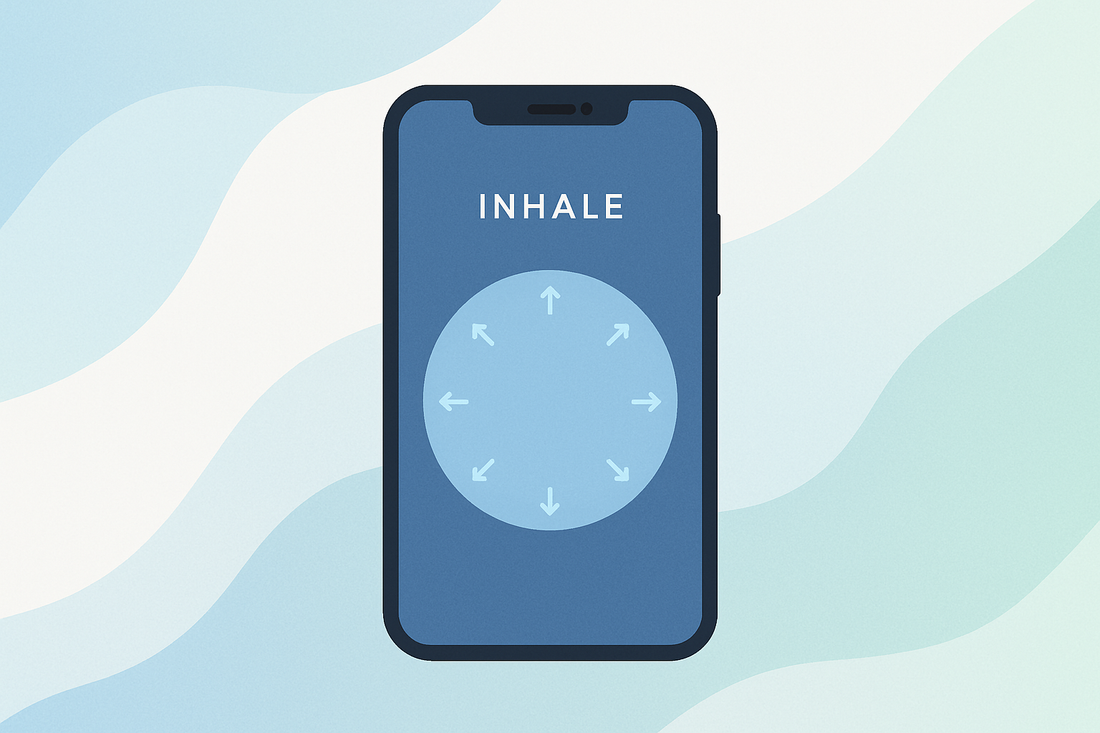
- Deep breathing exercise: the default. You breathe in and out for a few seconds while a calming animation plays. Simple, surprisingly effective.
- Mirror: your front camera activates and you see yourself reaching for the app. It sounds silly but the self-awareness jolt works for a lot of people.
- Conversational reflection: the app asks you why you're opening the app and what you planned to do. Having to answer honestly often kills the impulse.
- Rotate phone: you have to physically spin your phone around before the app opens. Pure friction.
- Type random text: you need to type out a random phrase. Just annoying enough to make you reconsider.
- 4-7-8 breathing: a longer, more structured breathing pattern used in anxiety management.
The variety matters because the same intervention gets stale after a while. Being able to rotate through different types keeps the friction feeling fresh.
Beyond interventions
One sec also includes:
- Block sessions: strict mode where you can block apps entirely for a set period
- Doomscroll emergency brake: set time limits on specific apps so one sec pulls you out after, say, 10 minutes
- Intention tracking: before opening an app, you declare what you're going to do ("check one DM") so you have a concrete goal
- Emotion tracking: periodic check-ins about how you're feeling before and after using apps
- Website blocking: extends the friction concept to desktop browsers
- Good morning countdown: prevents you from opening apps first thing in the morning
- Healthy alternatives: when you try to open a distracting app, one sec suggests a healthier behavior instead
What does one sec cost?
The free version lets you target one app with the basic breathing intervention. That's it. One app.
To unlock unlimited apps and all the features listed above, you need one sec Pro:
- Monthly: $2.99/month
- Annual: approximately $19.99/year (pricing has shifted over time)
- Lifetime: previously around $39.99, now higher (the developer has raised the price as features expanded)
- Family plan: around $24.99/year
The annual pricing is reasonable compared to competitors like Opal ($99.99/year) or similar premium screen time apps. For context, Blok runs $59.99/year and includes a physical NFC device on top of the software.
What users like about one sec
With over 100,000 five-star ratings on the App Store, one sec clearly resonates with people. Here's what comes up most in reviews:
It actually works for habit interruption
The most common praise is simple: it makes you stop and think. A lot of people don't realize how often they open Instagram or TikTok purely out of muscle memory. The breathing pause is just enough friction to break the autopilot loop.
Multiple users report saving 20 to 60 minutes per day within the first week. That's not magic. It's just what happens when you make unconscious behavior conscious again.
The science-backed approach builds trust
Having a peer-reviewed study behind your core feature is unusual for an app in this space. Users who care about evidence-based tools (especially in the ADHD and neurodivergent community) appreciate that one sec isn't just vibes. There's data.
It's not all-or-nothing
Unlike strict blockers that lock you out completely, one sec lets you proceed after the pause. This feels less punishing and more like a gentle check-in. For people who need their phone for work (checking Slack, posting to social accounts), that flexibility matters.
Indie developer, privacy-first
Frederik Riedel makes a point of not selling user data. Usage tracking stays on-device or in a private cloud. For a screen time app that literally monitors which apps you open, that privacy stance is meaningful.
Where one sec falls short
No app is perfect. Here are the common complaints and limitations:
Real friction beats willpower every time
The Blok Card adds a physical step between you and your distractions.
You can still just... tap through it
This is the fundamental tension with friction-based tools. The intervention is a speed bump, not a wall. If you're determined to open Instagram, a five-second breathing exercise won't stop you. On bad days (stress, boredom, late nights), a lot of users report tapping through every single intervention without pausing.
One sec's block sessions help with this, but then you're back to traditional app blocking territory. The friction approach works best for casual, habit-driven usage. It struggles with deliberate, emotional scrolling.
The free tier is too limited
One app. That's the free version. If you scroll through Instagram, TikTok, YouTube, Reddit, and Twitter, protecting just one of those doesn't do much. You'll just migrate to the next unprotected app.
Most people need the Pro subscription within a day of trying it. The free tier feels more like a demo than a usable product.
No physical component
One sec is purely software. It runs on your phone, adds friction on your phone, and the bypass is also on your phone. Everything happens in the same device that's causing the problem.
This is where approaches like Blok differ fundamentally. Blok uses a physical NFC card that you have to physically tap to your phone to unblock apps. The card sits in your wallet or on your desk, which means unblocking requires you to get up, find the card, and deliberately tap it. That physical separation between your phone and the unlock mechanism creates a different category of friction.
With one sec, the "friction" is a few seconds of breathing on the same screen you're already looking at. With a physical device, the friction involves your body, your environment, and a deliberate physical action. For people who blow through software-only interventions, that difference matters.
Automation workarounds on Android
On Android, one sec uses the Accessibility Service API to detect app launches. This can conflict with other apps that use the same API, and some Android manufacturers' battery optimization can kill one sec in the background. iOS integration through Screen Time API tends to be more reliable.
Intervention fatigue
Even with multiple intervention types, some users report that the novelty wears off after a few weeks. The breathing exercise that felt meaningful on day one can feel like an annoying formality by week four. One sec combats this with variety, but it's still a pattern your brain eventually learns to ignore.
One sec vs other screen time apps
Here's how one sec stacks up against the main alternatives:
One sec vs Opal
Opal is a stricter blocker that focuses on scheduled blocking sessions and app limits. It's more of a "lock yourself out" approach compared to one sec's "pause and reflect" method. Opal costs significantly more ($99.99/year) and doesn't have the friction/intervention concept. If you want hard blocks, Opal. If you want mindful pauses, one sec.
One sec vs Blok
Blok takes a completely different approach by combining software blocking with a physical NFC device. You tap the Blok card to your phone to lock or unlock apps. This creates physical friction that's harder to bypass than any software intervention. Blok costs $59.99/year for the subscription plus a one-time purchase for the NFC device. If software-only friction isn't enough for you (and you've tried one sec and still blow through the breathing exercises), Blok's physical approach might be the next step up.
One sec vs Apple Screen Time
Apple's built-in Screen Time lets you set app limits and downtime schedules. It's free but basic. The "one more minute" bypass button makes it almost useless for anyone with impulse control challenges. One sec's interventions are more psychologically sophisticated than a simple "are you sure?" dialog.
Who should use one sec?
One sec works best for:
- Casual scrollers who open apps out of habit, not addiction. If your problem is muscle memory (reaching for Instagram every time you're slightly bored), the friction pause is often enough to break the cycle.
- People who want awareness, not restriction. If you hate being locked out of your own apps but want to be more intentional about usage, one sec's approach fits.
- First-timers. If you've never tried a screen time tool before, one sec is a low-commitment starting point. The free version gives you a taste, and the annual price is affordable.
- Students who need focus during study sessions but don't want to completely lose access to messaging apps.
Who might need something stronger
- People with serious screen time struggles who blow through software interventions. If you've tried one sec and find yourself tapping through every breathing exercise, you might need the physical friction of something like Blok or a strict blocker like Opal.
- Anyone who needs scheduled, non-negotiable blocks. One sec's block sessions exist but aren't its core strength. Dedicated blockers handle this better.
- People who need system-level enforcement. One sec can be bypassed. Apps that use Apple's Screen Time API (like Blok) operate at the system level and genuinely prevent app access.
The bottom line
One sec is a well-built, science-backed app that does one thing really well: it makes you pause before mindlessly opening distracting apps. The breathing interventions work for a lot of people, the research is credible, and the pricing is fair.
But friction-based tools have an inherent ceiling. They rely on your cooperation. On good days, a deep breath is all you need to close Instagram and get back to work. On bad days, you'll breathe through the exercise and scroll anyway.
If you're just starting to get intentional about your screen time, one sec is a great first step. If you've tried friction-based approaches and still find yourself doomscrolling, it might be time to look at tools that create physical separation between you and your phone. That's the approach Blok takes with its NFC card system, and for a lot of people, that extra layer of real-world friction is what finally makes the difference.
Either way, the fact that you're researching screen time tools means you've already taken the hardest step: admitting the default relationship with your phone isn't working. Pick a tool, try it, and iterate from there.
Ready to actually put your phone down?
See the Blok Card and how the physical NFC setup works on iPhone and Android.